Tech explained
Incognito Mode Explained: What Private Browsing Really Hides
Updated Nov 28, 2026 · 3 min read
Incognito mode deletes your browsing history, cookies and site data when you close all Incognito windows, and it doesn't save form entries. That protects you from other people using the same device. It doesn't hide you from websites, especially if you sign in, or from your school or work network and your internet provider.
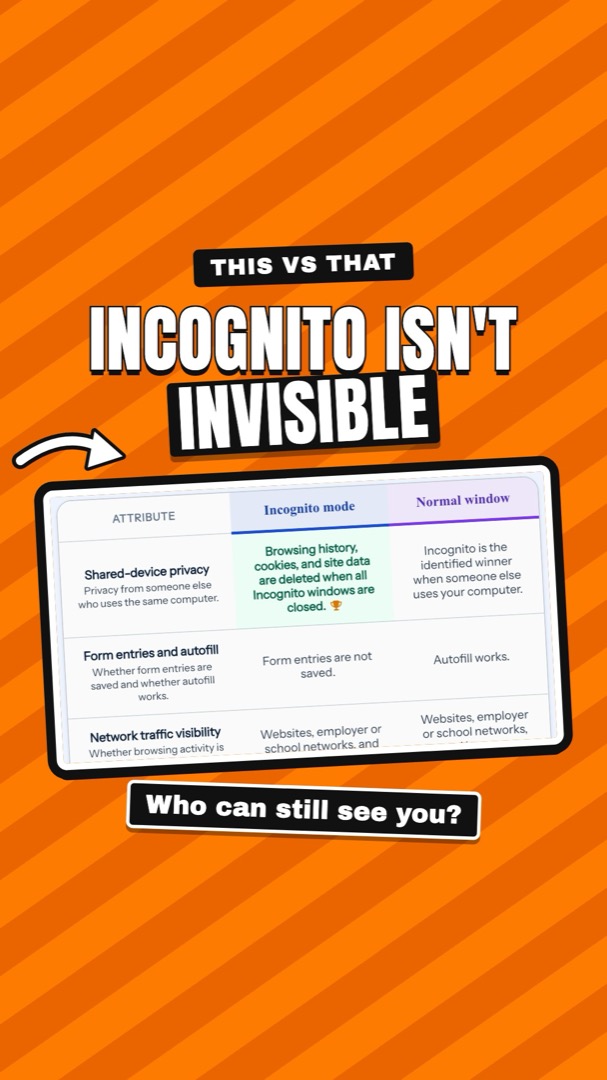
Key points
- ●Closing all Incognito windows deletes history, cookies and site data.
- ●Form entries aren't saved, but downloads and bookmarks stay on the device.
- ●Websites, your work or school network and your internet provider can still see where you go.
- ●In 2024, Google agreed to delete billions of records to settle an Incognito tracking lawsuit.
- ●Use Incognito for a shared laptop or gift shopping; to hide from the network, use a VPN or Tor.
What Incognito mode is
Incognito is the private browsing window in Chrome. It's built for one kind of privacy: privacy from other people who use your device. It is not a way to disappear online, and that difference is where most of the confusion comes from.
What it hides
When you close every Incognito window, the browser deletes:
- your browsing history from that session,
- cookies and site data.
Form entries aren't saved either, so names and addresses you type won't show up as suggestions later.
That's real privacy. Someone who picks up the laptop after you won't find the sites you visited in that window.
What it doesn't hide
Incognito works on your device only. Everyone else along the way can still see you:
- Websites can still see you, especially if you sign in. Log in to your account in Incognito and the site knows it's you.
- Your employer or school network can still see where you go.
- Your internet provider can still see where you go.
And a few things stay on the device even after you close the window: downloads and bookmarks. If you save a file or bookmark a page, it's still there.
Incognito vs a normal window
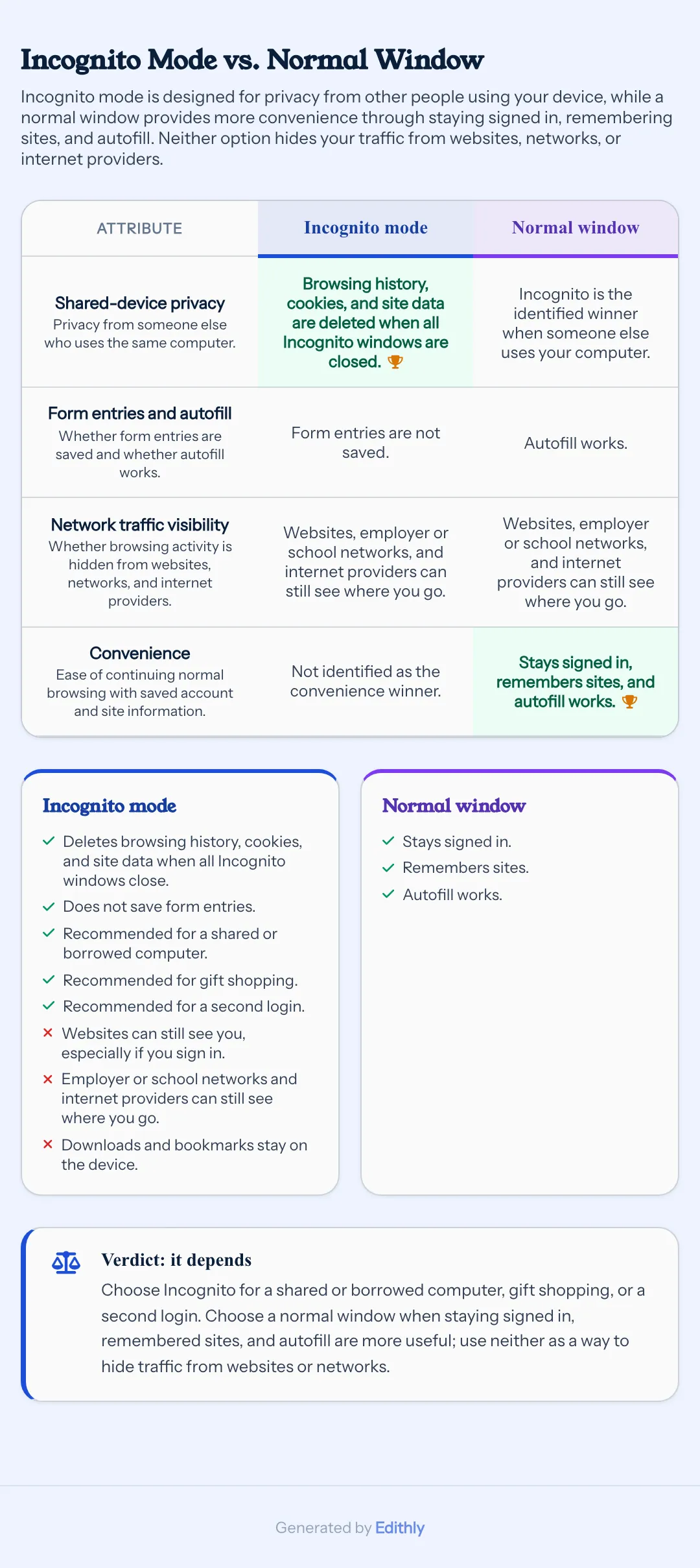
The visual sheet above compares the two side by side:
| Incognito | Normal window | |
|---|---|---|
| Privacy on a shared device | Wins: history, cookies and site data deleted on close | Keeps everything |
| Forms and autofill | Form entries not saved | Autofill works |
| Hidden from websites and networks | No | No |
| Convenience | Not the convenience pick | Wins: stays signed in, remembers sites |
The row people miss is the third one. Neither window hides your traffic from websites, networks or your internet provider.
The Google lawsuit
In 2024, Google agreed to delete billions of data records to settle a class action that said it tracked people in Incognito mode. It also updated Chrome's Incognito disclosure. The case is a good reminder that "private" in the browser has a narrow meaning.
Three common myths
"Incognito hides me from my boss." It doesn't. Your work or school network can still see where you go, Incognito or not.
"Nobody knows it's me in Incognito." Only true for people using your device after you. Sign in to a site and that site knows exactly who you are.
"Everything disappears when I close it." History, cookies and site data do. Downloads and bookmarks don't. A file you saved during an Incognito session is still sitting on the computer afterward.
Which one to use
Pick Incognito for:
- a shared or borrowed computer,
- gift shopping, so the gift doesn't show up in history,
- a second login, like checking a different account without signing out of your main one.
Pick a normal window when you want to stay signed in, have sites remembered and use autofill. That's most of your everyday browsing.
If you want to hide where you go from the network or your internet provider, Incognito won't do it. That needs something like a VPN or Tor.
The short version
Incognito cleans up after you on your own device. It doesn't make you invisible to the sites you visit or the network you're on. Use it for the people around you, not for the people watching the connection.
A simple test before you open one: ask who you're hiding from. If it's someone who might use this computer later, Incognito does the job. If it's a website, your school, your employer or your internet provider, it doesn't, and you'll need a different tool.
Frequently asked questions
Can my Wi-Fi or school network see what I do in Incognito?
Yes. Incognito only clears data on your own device. Your employer or school network and your internet provider can still see where you go.
Do websites know who I am in Incognito mode?
They can still see you, especially if you sign in. Signing in to an account inside Incognito tells that site exactly who you are.
What did the Google Incognito lawsuit settle?
In 2024, Google agreed to delete billions of data records to settle a class action that said it tracked people in Incognito mode. It also updated Chrome's Incognito disclosure.
Incognito or a VPN?
They solve different problems. Incognito hides your activity from other people who use your device. A VPN or Tor is what you'd use to hide your traffic from the network.