Tech explained
Face ID vs iPhone Duo Face Unlock Explained: 3D Map or Flat Photo
Updated Nov 27, 2026 · 3 min read
Face ID uses Apple's TrueDepth camera to project over 30,000 infrared dots and build a 3D map of your face, so it works in the dark and covers Apple Pay, passwords and logins. The iPhone Duo's new front-camera unlock, in the iOS 27.3 beta, uses a flat 2D image from the regular camera and only opens the Lock Screen. Face ID is the safer pick.
Key points
- ●Face ID builds a 3D depth map from over 30,000 infrared dots; the Duo uses a flat 2D photo.
- ●Infrared lets Face ID work in the dark; the Duo struggled in a dark room in MacRumors' test.
- ●The Duo's face unlock only opens the Lock Screen. Apple Pay, passwords and logins still need Touch ID.
- ●Apple rates Face ID at 1 in 1,000,000 for a random person and limits the Duo version because it's less secure.
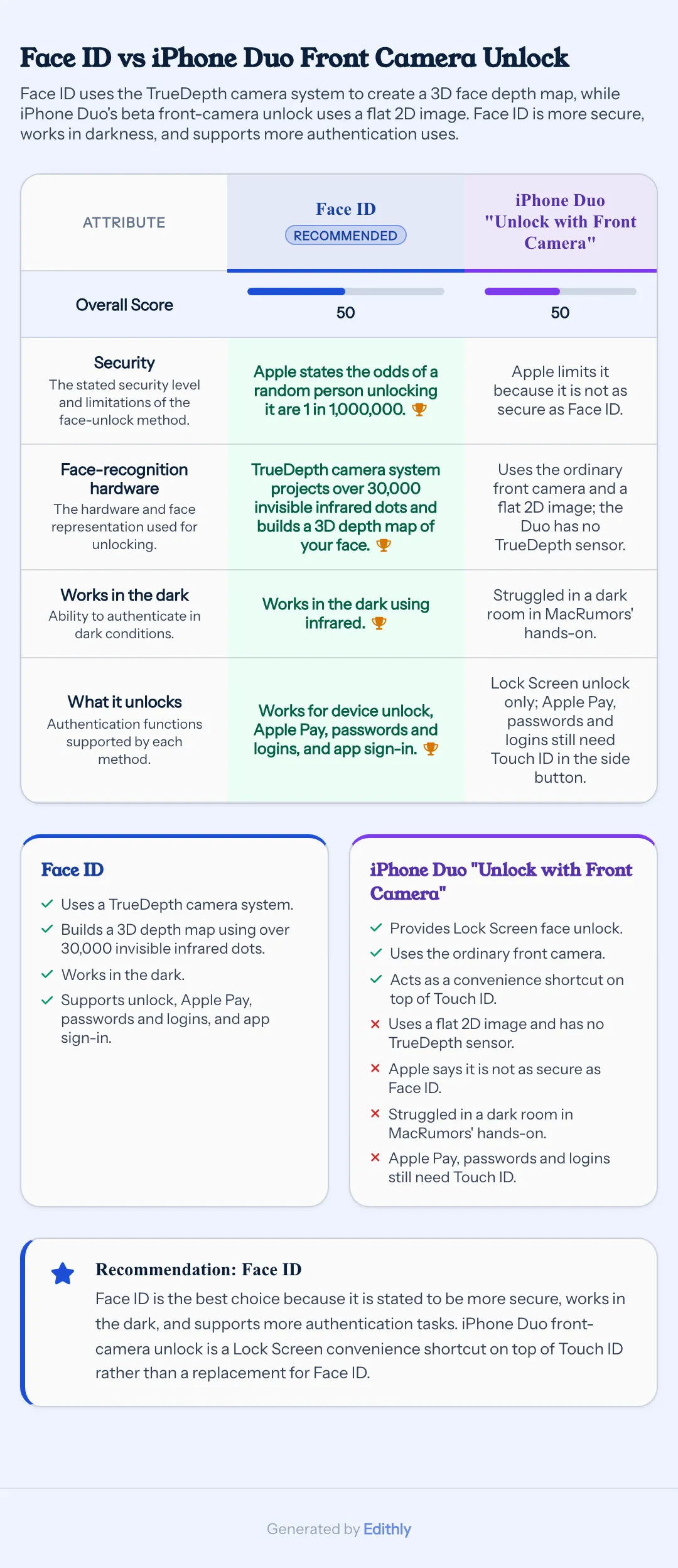
Two ways to unlock with your face
The second iOS 27.3 beta gives the iPhone Duo a new option: "Unlock with Front Camera". Look at the phone and it opens, using the ordinary selfie camera. The Duo has no TrueDepth sensor, so this isn't Face ID.
Both features unlock the phone with your face, which makes them sound like the same thing. They aren't. The visual sheet above puts them side by side on four points: hardware, the dark, what each one unlocks, and security.
Round 1: the hardware
Face ID uses Apple's TrueDepth camera system. It projects over 30,000 invisible infrared dots onto your face and uses them to build a 3D depth map. It captures the shape of your face, not just how it looks.
Duo face unlock uses the regular front camera and sees a flat 2D image. It knows what your face looks like from the front, and that's all.
Point to Face ID. A depth map carries much more information than a photo.
Round 2: the dark
Infrared doesn't need room light, so Face ID works with the lights off.
The Duo's camera needs to see you the way any camera does. In MacRumors' hands-on, it struggled in a dark room.
Point to Face ID again.
Round 3: what it unlocks
This is the round that matters day to day.
| Face ID | Duo face unlock | |
|---|---|---|
| Lock Screen | Yes | Yes |
| Apple Pay | Yes | No, uses Touch ID |
| Passwords and logins | Yes | No, uses Touch ID |
| App sign-in | Yes | No |
The Duo version only opens the Lock Screen. Anything involving money or accounts still goes through Touch ID in the side button. And after about 45 idle minutes, the Duo asks for Touch ID again before the face unlock works.
So the Duo's camera is a shortcut that sits on top of Touch ID. It doesn't replace it.
Round 4: security
Apple states that the odds of a random person unlocking a phone with Face ID are 1 in 1,000,000.
For the Duo's camera unlock, Apple says plainly that it isn't as secure as Face ID, and that's the reason it's limited to the Lock Screen. That's why it can't approve payments or fill in passwords.
Scorecard
| Round | Face ID | Duo face unlock | Winner |
|---|---|---|---|
| Hardware | TrueDepth, 3D depth map | Front camera, flat 2D image | Face ID |
| The dark | Works, uses infrared | Struggled in MacRumors' test | Face ID |
| What it unlocks | Lock Screen, Apple Pay, passwords, app sign-in | Lock Screen only | Face ID |
| Security | 1 in 1,000,000 random-person odds | Apple says it's less secure | Face ID |
Four rounds, four points to Face ID. That isn't a knock on the Duo, though. Apple never pitched its camera unlock as a Face ID replacement, and the limits it set are the clearest sign of that.
How to set it up sensibly on a Duo
If you turn on the front-camera unlock, nothing about payments or passwords changes. Touch ID in the side button still approves them, and the phone falls back to Touch ID after about 45 idle minutes. So you get a faster way past the Lock Screen without lowering the bar for anything else.
The verdict
If you want the safest face unlock, Face ID wins every round: 3D instead of flat, works in the dark, covers payments and passwords, and comes with a stated one-in-a-million error rate.
If you have an iPhone Duo, the front-camera unlock is still worth turning on as a convenience. Just treat it as what Apple built it to be: a quick way past the Lock Screen, with Touch ID still guarding the things that matter.
Sources
Reporting from MacRumors, TechCrunch and iMore, plus Apple's own Face ID security figures.
Frequently asked questions
Is the iPhone Duo face unlock as secure as Face ID?
No. Apple keeps the Duo's front-camera unlock limited because it isn't as secure as Face ID. Face ID uses a 3D depth map, and Apple puts the odds of a random person unlocking it at 1 in 1,000,000.
Can the iPhone Duo face unlock pay with Apple Pay?
No. It only unlocks the Lock Screen. Apple Pay, passwords and logins still go through Touch ID in the side button.
Why does Face ID work in the dark?
Face ID projects invisible infrared dots onto your face and reads them back, so it doesn't need visible light. A regular front camera does, which is why the Duo struggled in a dark room in MacRumors' hands-on.
How often does the iPhone Duo ask for Touch ID again?
After about 45 idle minutes, the Duo asks for Touch ID again instead of accepting the face unlock.