Sales & Business2 min read

How to Make a Prospect-Tailored Pitch From a URL, Not a Mail Merge

Edithly builds a prospect-tailored pitch by cross-referencing a prospect's actual business against what your product genuinely delivers — not a first-name-and-company mail merge.

EEdithly Team
How to Make a Prospect-Tailored Pitch From a URL, Not a Mail Merge

Short answer: Edithly builds a prospect-tailored pitch by cross-referencing a prospect's actual business against what your product genuinely delivers — not a first-name-and-company mail merge dressed up as personalization.

What "Personalized" Usually Means (And Why It Doesn't Work)

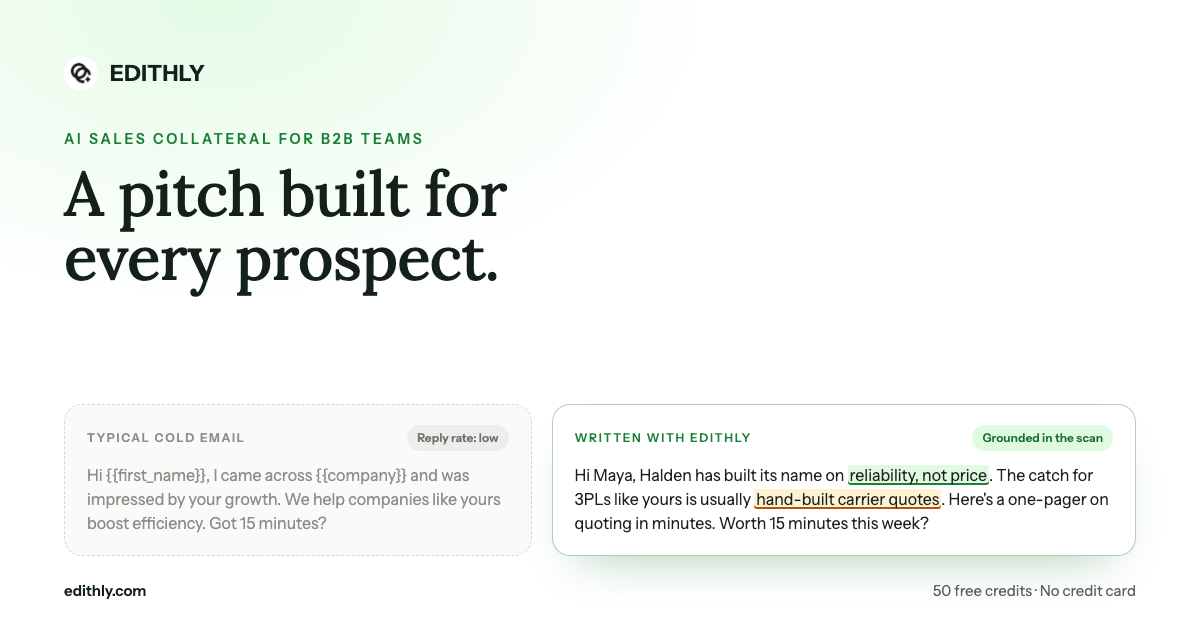
Most "personalized" outbound is a first name and a company name stitched into a template. The actual argument — why this prospect should care, which of your features solve their specific problem — never changes. Prospects can tell. That's a big part of why personalized-sounding cold outreach still gets ignored at scale.

What Edithly Does Differently

Edithly's GTM engine builds a visual case for why this specific prospect should care, grounded in their actual business and what your product can genuinely solve for them:

  • Visuals tailored to the prospect. Every visual is generated from the prospect's actual product, market, and pain points — not a template with their logo dropped in.
  • Mapped to your product capabilities. Edithly cross-references what you actually offer, so every value prop shown is one you can genuinely deliver on, not an overpromise.
  • On your brand, every time. Colors, type, and layout follow your brand guidelines automatically, pulled straight from your site.

How to Generate One

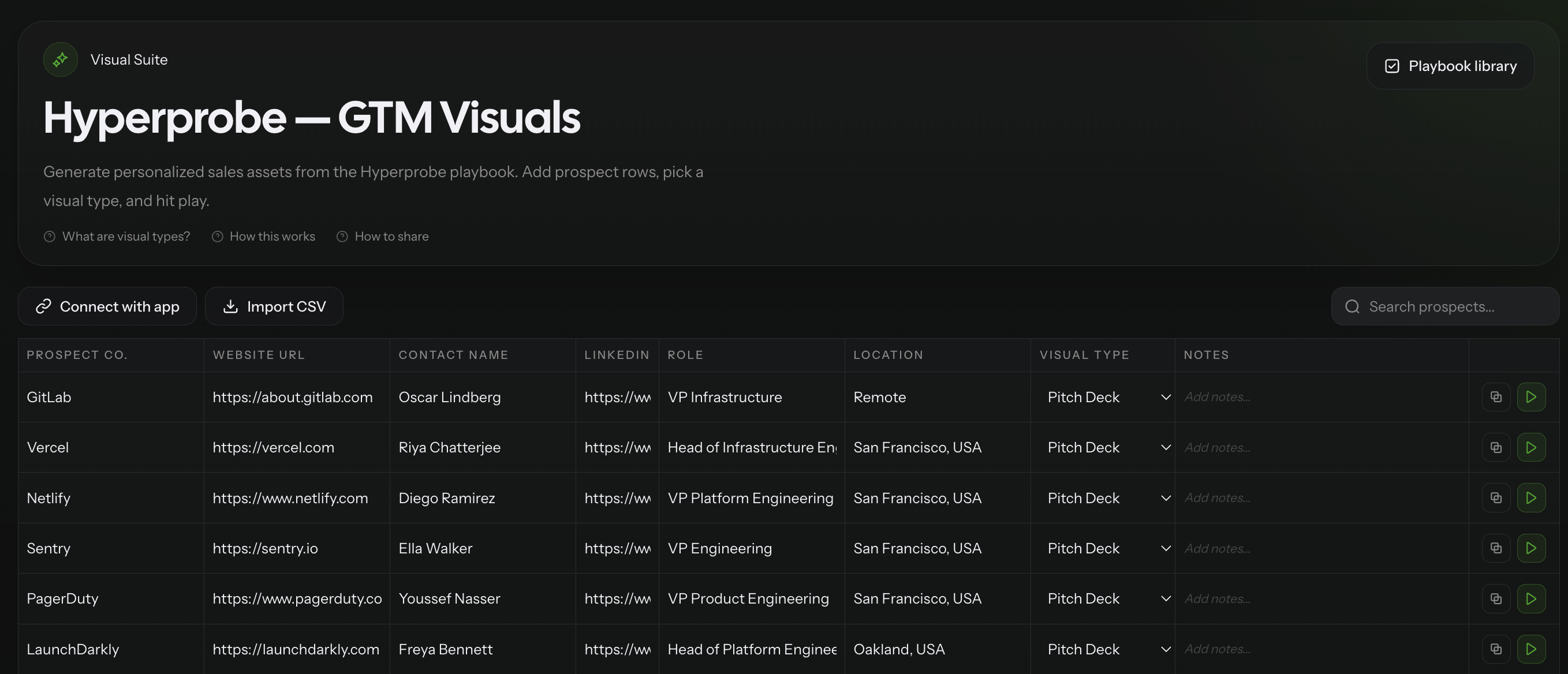
  1. Share your website URL — Edithly drafts your positioning, value props, and proof points.
  2. Import your prospect list — CSV, or connect Apollo or Clay directly.
  3. Add a note per prospect if you want a specific angle emphasized.
  4. Hit play — get a pitch built around that specific prospect's business, not a generic template.

One Play Button, One Row or the Whole List

Every prospect row has the same one-click play control your GTM engineers already expect from Clay and Apollo workflows — trigger a single generation to sanity-check an angle, or queue an entire imported list and let Edithly run through it. It's webhook-triggered, so it slots into workflows you already run.

Join the Pilot

Join the GTM pilot at edithly.com/gtm — 50 free credits, every visual and content type, no credit card required.

Curious what formats this personalization engine can output? See how to create instant sales documents from the same URL.
Frequently Asked Questions

How is this different from mail-merge personalization?

Mail merge swaps a name and company into fixed text. Edithly generates the actual visual and argument from the prospect's real business and your real product capabilities — a genuinely different pitch per prospect, not the same pitch with different labels.

Does it know what my product actually does?

Yes. Edithly cross-references your product's real capabilities against each prospect's needs, so the value props shown are ones you can genuinely deliver on.

Can I add my own angle for a specific prospect?

Yes. Add a note per prospect row before hitting play if you want a specific angle emphasized.

Can I run this across an entire prospect list, not just one at a time?

Yes. Queue a full CSV or a filtered segment and run it in a single action.

What tools does it connect to?

Apollo, Clay, HubSpot, and Zoho CRM directly, plus any other tool via webhook.

Try Edithly free

Turn any document into something useful

Upload a PDF, paste a URL, or drop a YouTube link. Get mind maps, flashcards, MCQs, presentations and more — in seconds.