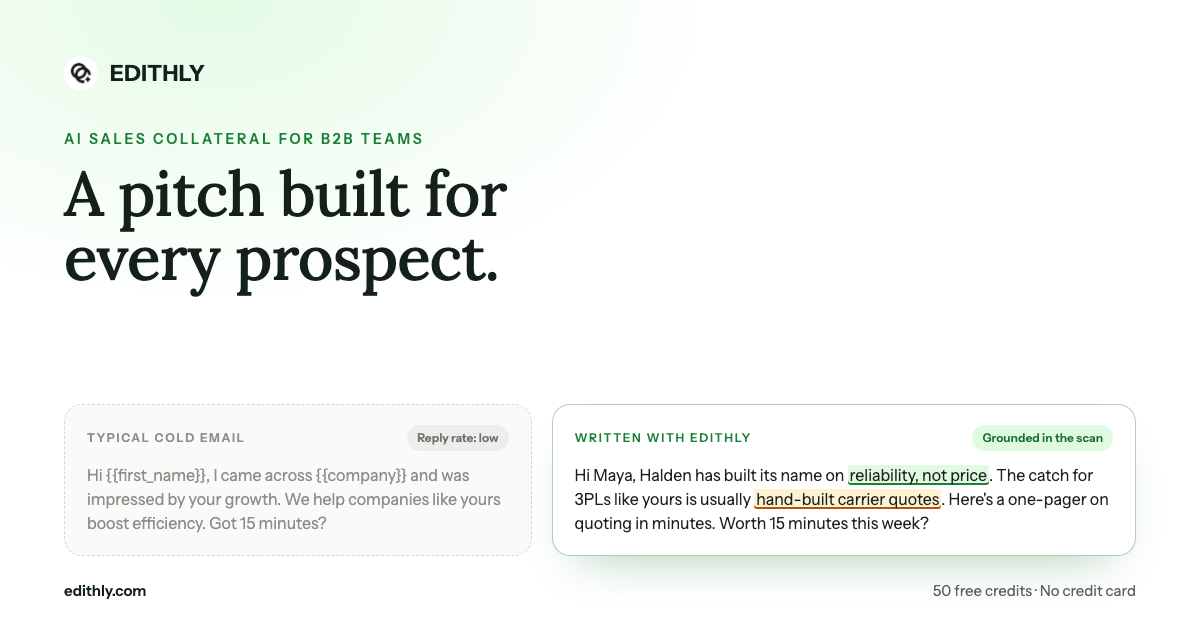
Bottom line: personalization does not fail because reps do not believe in it. It fails because doing it for two hundred accounts takes two weeks. Import the list, map the columns, generate — and get a table back with a trackable link on every row.
The Whole Loop, In Order
- Import a CSV. Apollo export, Clay table, a segment out of HubSpot, or a list you built by hand.
- Map the columns. Headers are matched automatically against the schema; anything ambiguous is yours to remap or skip.
- Set the material per row. Pitch deck, one pager, landing page, infographic, elevator pitch, cold call script or email outreach.
- Add notes where you have an angle. Click any notes cell and type; that note steers only that row.
- Generate. One row to test, or the whole list once the angle is right.
- Export. The full table comes back as CSV with share links and view counts attached.
The Column Mapping Is the Part That Usually Breaks
Every tool that accepts a CSV promises it is easy, and every rep has spent an hour renaming headers to satisfy one.
The importer matches loosely against each field:
| Field | Headers it recognizes |
|---|---|
| Prospect company | company, company name, prospect co, prospect company |
| Website URL | website, url, website url, prospect website |
| Contact name | contact, name, contact name |
| Role | role, title, position |
| Location | location, city, region, country |
| Material | material, visual type, output type, type |
| Notes | notes, description, message |
| Link | link, share link, deck, html url |
| Views | views, views count, open count, count |
You see the mapping before anything is created, and you can skip any column you do not want imported. An Apollo export usually maps with no manual intervention at all.
One Row at a Time, or the Whole List
Each prospect row has its own play button. This is deliberate.
- Test on one row. Generate for a single account, open it in the preview drawer, and check whether the angle lands before spending credits on the rest.
- Then run the list. Once the angle is right, queue the rest.
The rows are searchable and paginated, so a list of five hundred accounts stays workable. Completed rows open into a preview drawer on click; failed rows are highlighted with the error visible on the row rather than swallowed.
Notes: Segment-Level Personalization Without Segment-Level Work
The notes column is where a rep's judgement enters the process.
For a list of eighty accounts, you might write notes on twelve — the ones where you know something the research cannot find:
- "Met their VP at a conference in March."
- "They churned off our competitor last year."
- "Renewal with the incumbent lands in Q1."
Those twelve rows get an asset shaped by that fact. The other sixty-eight get the research-driven default, which is still far better than the same PDF sent to all of them.
What You Get Back Is Measurable
The export is not just a record of what was generated. It carries a share link and a view count per row, which turns an outbound push into something you can actually read:
- Zero views across a segment — the problem is the subject line or the list, not the asset.
- High views, no replies — the asset lands and the call to action does not.
- A single account with repeat views — someone is circulating it internally. Call them today.
Hand the export to an SDR team, an outreach partner, or push it back into the CRM so the link sits on the record.
Who Runs It This Way
- SDR teams working a weekly list — one import on Monday, personalized assets for the whole week's sequence.
- Founders doing their own outbound — a segment at a time, without hiring for it.
- Agencies running client campaigns — a playbook per client, a list per campaign, an export per report.
- AEs reviving a dead pipeline — export the stalled accounts, generate a one pager each, and give every one of them a reason to reopen.
Where the Individual Assets Are Covered
Each material has its own deep dive: the cold call script, the cold email variants, the one pager, and the personalized landing page. All of them are generated against the same product playbook.
If you would rather not touch a CSV at all, the same generation can be triggered from inside Apollo, Clay, HubSpot or Zoho, or asked for one account at a time through the sales assistant.
Start With One Segment
Export fifty accounts from your CRM. Import, generate, send, and look at the view counts in a week. That single loop tells you more about your messaging than a quarter of guessing.
Start with the GTM pilot at edithly.com/gtm — 50 free credits, every format, no credit card required.