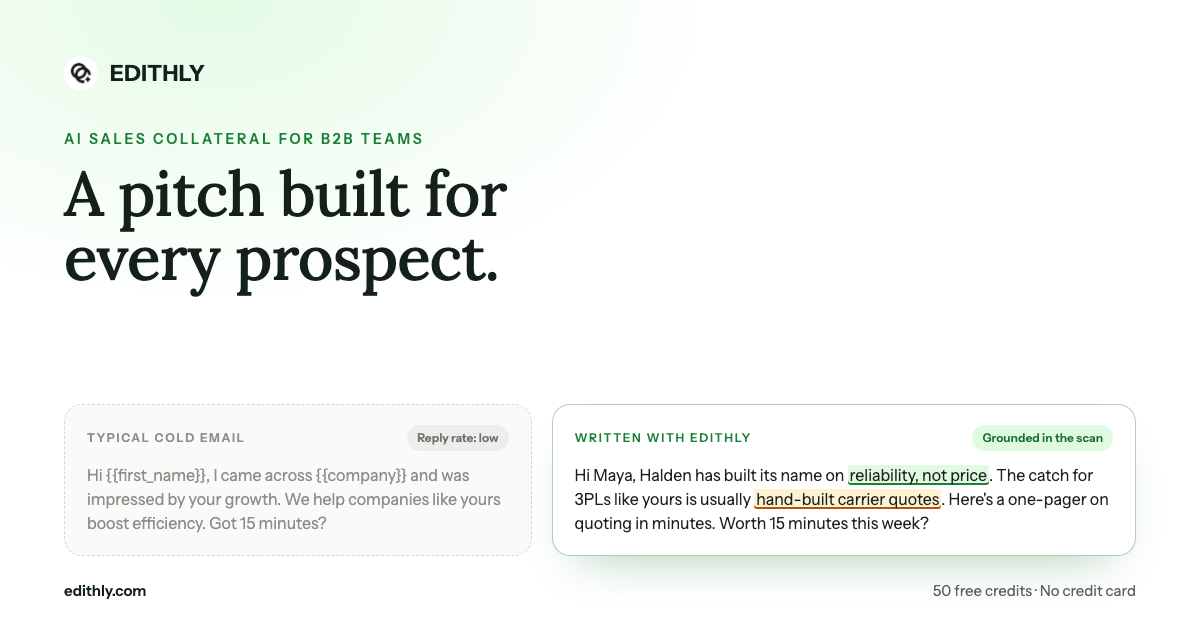
Bottom line: the difference between an email that gets a reply and one that gets deleted is usually a single verifiable fact about the prospect's last ninety days. The signals scan finds those facts for one account and hands you the openers already written.
What the Scan Returns
- Headline read — the one-sentence take on what is happening at this company right now.
- Best hooks — openers to use word for word, each with a copy button.
- Where you overlap — their focus paired with your capability, rated by overlap strength, with the evidence behind it.
- Counter plays — their move, your counter, and how to use it in outreach.
- Recent movements — dated, strength-rated, each with a source link.
- Funding — the funding profile, where one exists.
- Hiring signals — what the open roles reveal about priorities.
- Tech stack — what they run, what it implies, and the evidence for it.
- SEO findings — area, severity and why it matters.
- Content activity — cadence, themes, recent posts and what they are pushing.
- Community signals — where the company shows up in public discussion and what it reveals.
- Trends — the market movement the account sits inside.
- Data gaps — what could not be established.
- Sources scanned — a ledger of every source checked, marked ok or unavailable.
Hooks First, Research Second
The scan is ordered for the way a rep actually works: the hooks sit at the top.
A rep with eleven minutes before a call block does not need the full intelligence report. They need one line they can say that proves they looked. So the strongest findings are pre-written as openers and made copyable, and the underlying research sits below for the rep who wants to verify before using it.
This ordering is the whole design. Research that requires reading is research that does not get used.
Counter Plays: The Competitive Section That Is Actually Usable
Most competitive intelligence gives you a battlecard you would never read aloud. Counter plays are structured for the conversation:
| Column | Content |
|---|---|
| Their move | What the account or their market is doing |
| Your counter | The position that answers it |
| How to use it in outreach | A line you can paste, without naming a competitor aggressively |
That third column is the one that matters. Knowing your differentiator is common; knowing how to raise it in a first email without sounding defensive is not.
Every Claim Carries Its Source
Signals are only useful if they are true. A rep who opens with a funding round that closed three years ago has done more damage than one who opened with nothing.
Three mechanisms keep the scan honest:
- Source links on findings — movements, community signals and personalization facts each link to where they came from.
- Strength and dates on movements — a movement is rated strong, moderate or weak and carries when it was observed, so old news is visibly old news.
- A sources ledger — every source the scan tried, marked as returned or unavailable, with detail. If four of seven probes came back empty, you can see that.
And when a company genuinely has no public footprint, the scan says exactly that rather than manufacturing a hook.
Who This Is For
- SDRs working trigger-based outbound — hiring surges, funding, new market entries, leadership changes.
- AEs preparing a first call — the tech stack section alone reframes a discovery conversation.
- Reps selling to marketing teams — content activity and SEO findings are the pitch, not background.
- Anyone displacing an incumbent — counter plays and competitors-in-the-account tell you what you are actually up against.
How to Run One
- Set up your product once so the scan knows what to look for overlap against.
- Give the company name and website. No named contact needed — this is account-level.
- Generate, then work top-down: hooks, overlap, counter plays, then the deeper sections if the account warrants it.
- Copy the hook straight into the email or the call opener.
Where It Fits
The signals scan is the live layer. The prospect research brief is the structural layer — fit, deal shape, likely buyer. Run the brief to decide whether the account is worth working; run the scan to decide what to say this week.
Then generate what you send: cold email variants built on the hooks, or a cold call script that opens with the movement you found.
Scan Three Accounts Today
Take the three accounts you have been meaning to reach out to and have not, because you had nothing to say. Scan them. The opener is the blocker, and this removes it.
Start with the GTM pilot at edithly.com/gtm — 50 free credits, every format, no credit card required.